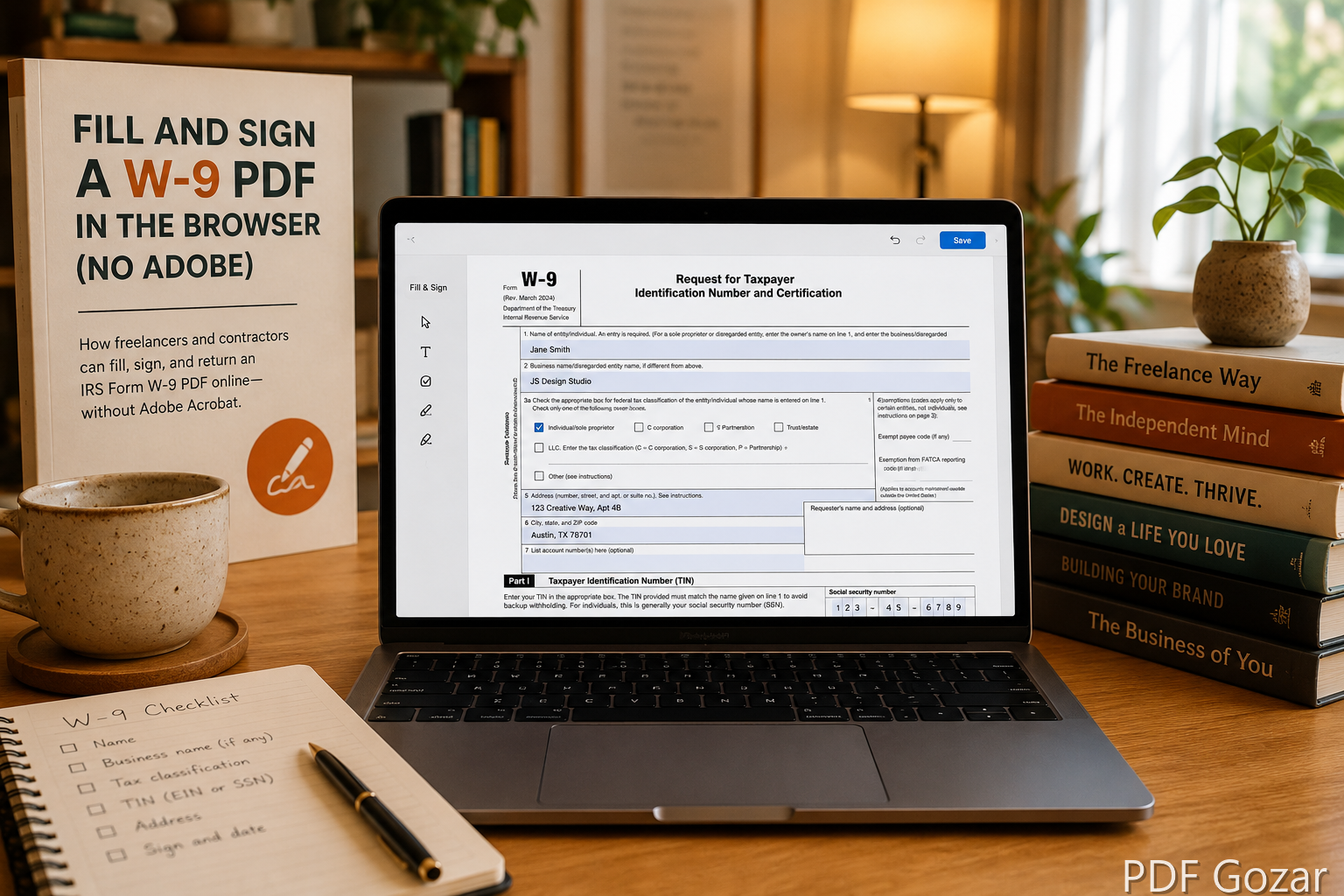
Fill and Sign a W-9 PDF in the Browser (No Adobe)#
Clients and platforms ask for a Form W-9 before they pay a US person or entity as an independent contractor. The form itself is short. The friction is the PDF: locked fields, “open in Adobe,” or a print-sign-scan loop that wastes an afternoon.
This guide walks through filling and signing a W-9 PDF in the browser, what information belongs where, and how to send it safely. It is practical software help—not tax advice. For official rules, use IRS Form W-9 and your own tax professional when needed.
What a W-9 Is For (Plain English)#
A W-9 gives the payer your name, business name (if any), tax classification, address, and Taxpayer Identification Number (TIN)—usually a Social Security Number (SSN) or Employer Identification Number (EIN). They use it to prepare information returns such as Form 1099-NEC.
You typically send a W-9 when:
- A US company hires you as a freelancer or contractor
- A marketplace or client needs your TIN on file
- You update a legal name or business structure mid-year
- Accounts payable refreshes vendor files at year-end
You do not file the W-9 with the IRS yourself in the normal contractor flow—you give it to the requester. Keep a copy for yourself so the next client request takes minutes, not another scavenger hunt for last year’s scan.
Get the Correct PDF#
- Prefer the current Form W-9 from IRS.gov or the exact file your client emailed.
- Save it somewhere obvious:
W9-YourName-2026.pdf. - Skim the instructions page if attached; some packets include extra pages you do not return.
If the client sent a scanned image of a blank W-9, ask for a fillable PDF or type into a fresh IRS copy and sign that—cleaner for everyone. A photo of a blank form often leads to crooked text boxes and a rejected upload in their vendor portal.
Fill the Form in a Browser Editor#
- Open Free PDF Editor.
- Upload the W-9 PDF.
- Type into the visible fields, or add text boxes where the scan is flat (non-fillable).
- Stay inside the lines—overflow into other boxes looks unprofessional and can delay payment.
Work top to bottom. Fill classification and TIN before you sign so you do not submit a signed form with a blank checkbox. Zoom in once on the TIN and address lines; small typos there cause the longest payment delays.
Fields people mix up#
- Name — Match your tax return name unless you are using a correct business line as instructed on the form.
- Business name — Only if you operate under a DBA or entity name that differs from line 1.
- Federal tax classification — Check the box that matches how you file (individual/sole proprietor, LLC, corporation, etc.). If unsure, pause and confirm; guessing here causes payroll headaches.
- Address — Where you receive mail for tax documents.
- TIN — SSN or EIN as appropriate. Double-check digits before you sign.
- Exempt payee / FATCA codes — Leave blank unless you know they apply; do not invent codes to look “more complete.”
- Certification — Read the certification text. Signing means you believe the TIN and backup withholding statements are correct.
Never invent an EIN. If you need one, apply through the IRS process first.
Sign Without Printing#
Most requesters accept a typed or drawn electronic signature on the signature line for W-9 collection, especially for remote contractors. Confirm if your client’s policy requires wet ink—banks and some enterprises still do.
In the editor:
- Go to the signature line on page 1.
- Add a signature with Edit PDF (draw or type, depending on the tool options).
- Add the date next to the signature if the form asks for it.
- Download the completed PDF and open it once to verify nothing covered the TIN or checkboxes.
If you must wet-sign: print page 1 only, sign, photograph squarely, and convert with JPG to PDF—or scan and keep a single-page PDF. If the photo is skewed, crop and retry before you send; a crooked wet-ink page often triggers a “please resubmit” email.
Checklist Before You Hit Send#
- Name and classification match how you file taxes
- SSN or EIN digits verified against a trusted record (not memory alone)
- Address is current for tax mail
- Signature and date are present and not covering other fields
- You are returning only the pages the client asked for (usually page 1)
- Filename identifies you:
W9-Jordan-Lee-2026-08.pdf - You saved a private copy before uploading to their portal
If any box fails, fix it in Edit PDF and re-download. Do not send “almost done” forms to meet a fake urgency from an unverified email.
Send It Safely#
A W-9 contains your TIN. Treat it like a sensitive ID document.
- Prefer the client’s secure upload portal or encrypted email if they offer it.
- Avoid posting a W-9 in a public ticket thread or Slack channel with broad membership.
- Name the file clearly:
W9-Jordan-Lee-2026-08.pdf. - Keep a copy in a private folder for your records; you will reuse it for other clients until details change.
- Confirm the recipient domain matches the company you contracted with before you attach anything.
If Gmail rejects a bloated scan, shrink using the methods in How to Shrink a PDF Under 25MB for Gmail—but a filled digital W-9 should already be tiny. If your “W-9” is somehow 30MB, you probably photographed the whole instruction packet; split down to page 1 with Split PDF and send only what they need.
Example Workflow: Client Emails a Flat Scan#
- Client sends a non-fillable W-9 scan as an email attachment.
- You download a current blank W-9 from IRS.gov instead (or type carefully on their scan if they insist on that file).
- Complete fields in Free PDF Editor.
- Sign and date on the signature line.
- Open the download locally and check the TIN and checkboxes.
- Upload through the vendor portal—or email only if that is their documented process.
- Store your copy in a private
Tax/W9folder with the year in the filename.
Total time is usually under fifteen minutes once you have done it once. The slow part is almost always waiting on the wrong PDF or an unclear classification question—not the editor.
When to Update or Refuse a Weird Request#
Update a new W-9 when your name, address, classification, or TIN situation changes. Send a fresh form rather than editing an old signed PDF with white-out. If you only need a new date for a client’s file, complete and sign a clean copy instead of altering last year’s signature image.
Be cautious if someone asks you to:
- Email a W-9 to a personal Gmail that does not match the company domain
- Add payment card numbers on the W-9 (that field does not belong there)
- Sign a blank form
- Change your TIN to “match payroll” without a documented legal reason
When in doubt, verify the requester through a known company contact. Legitimate AP teams will confirm through a second channel.
Troubleshooting Fill-and-Sign Issues#
- Text will not “stick” in fields: The PDF may be a flat scan. Add text boxes manually in Edit PDF instead of expecting AcroForm fields.
- Signature covers the date line: Place the signature first, then nudge or add the date beside it; re-download and verify.
- Portal rejects the file: Try exporting a fresh download, or split to a single page if you accidentally included instructions. Use Split PDF for that.
- Client wants initials on every page: Add light text or signature marks where allowed; do not stamp over legal text.
- You only have a PNG screenshot of a completed form: Convert with PNG to PDF for delivery—but prefer regenerating from a proper W-9 PDF when possible so fields stay aligned.
FAQ#
Do I need Adobe Acrobat Pro?#
No. A browser PDF editor is enough for most fill-and-sign W-9 workflows.
Can I use the same W-9 for every client?#
Often yes if your details are unchanged. Many freelancers keep a completed master and send copies. Some clients still want a form dated for their file—follow their request.
W-9 vs W-8BEN?#
W-9 is for US persons. Foreign persons typically use a W-8 series form instead. Using the wrong form can block payment.
What if the PDF is password protected?#
Ask the sender for an unlocked copy. Do not upload passwords into random tools; unlock only on a machine you trust.
Does an electronic signature count?#
Often yes for contractor onboarding. Some banks and government-adjacent vendors still require wet ink. Ask once, in writing, if their email is unclear—then follow that answer.
Next Step#
Download the official form (or your client’s copy), complete it in Free PDF Editor, sign, and return through their preferred channel. One clean W-9 on file usually means invoices get paid without a week of back-and-forth.