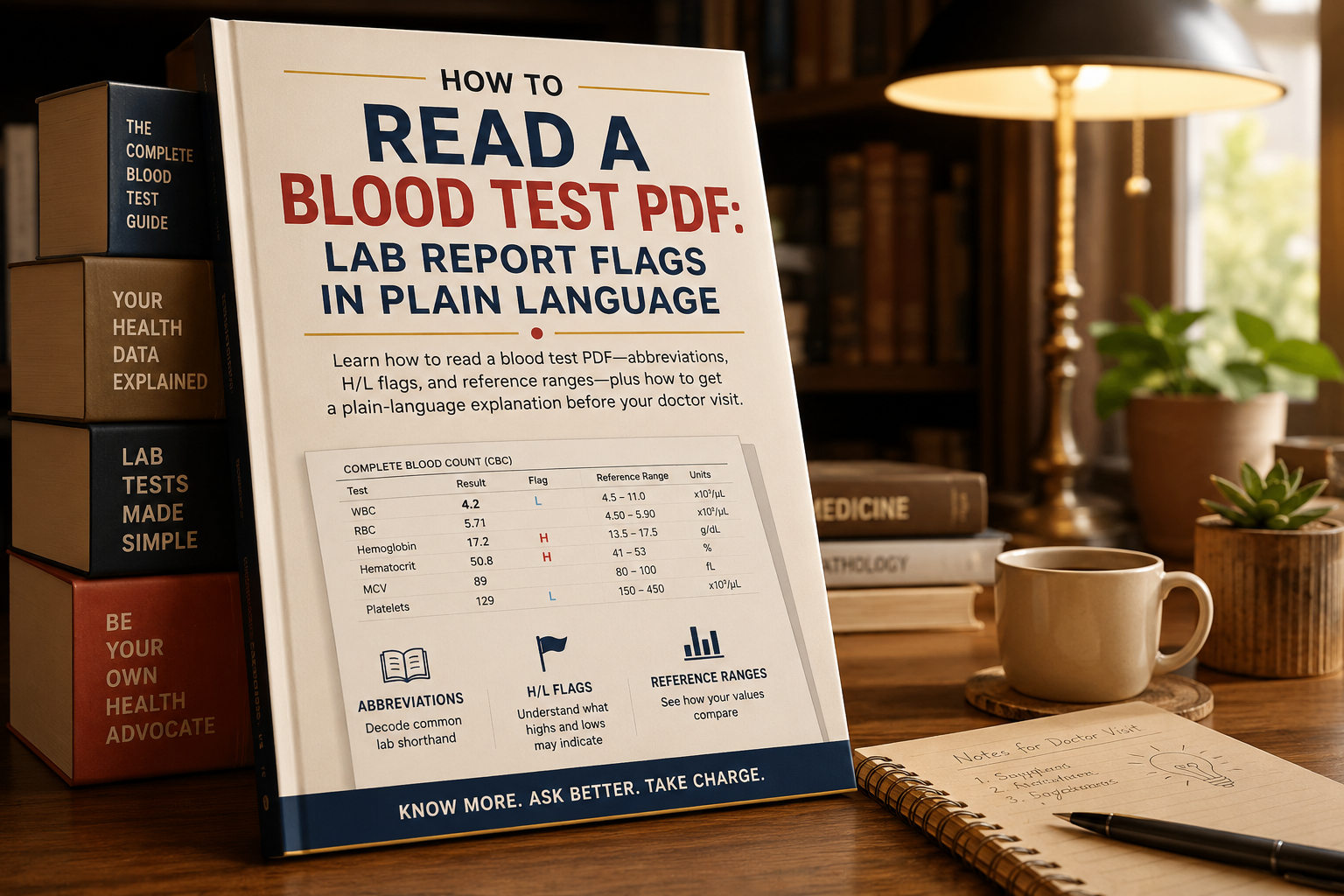
How to Read a Blood Test PDF: Lab Report Flags in Plain Language#
A lab report PDF is usually a scan or export from Quest, LabCorp, a hospital portal, or a walk-in clinic. It is packed with abbreviations, number columns, and small “H” or “L” marks. That format is built for clinicians, not for a 2 a.m. Google spiral.
This guide covers how to read the file itself, what common panels actually measure, how to prepare a clean PDF to share, and when a plain-language explanation tool can help you walk into the appointment with better questions. It is not a diagnosis. Only your clinician can interpret results in the context of your history, meds, and exam.
What a Lab PDF Is Trying to Show You#
Most blood-test PDFs follow the same layout even when logos differ:
- Patient and specimen info — name, date of birth, collection date, sometimes fasting status
- Test name — CBC, TSH, CMP, lipid panel, HbA1c
- Your result — a number plus a unit (g/dL, U/L, mg/dL)
- Reference range — the lab’s expected interval for that method
- Flag — often H (high), L (low), or a critical mark
The reference range is not a personal “perfect score.” It is a statistical window for a population, and it can change by lab, age, sex, pregnancy, and the machine used. A value just outside the range is common. A value far outside the range, or a pattern across several tests, is what clinicians care about.
If the PDF is a photo of a paper printout, pages may be rotated, cropped, or too dim to read. Fix the file first so you are not guessing at digits.
How to Read the File Before You Panic-Search#
Work top to bottom. Do not jump to the first red flag.
- Confirm the collection date and that the report is yours
- Note whether you were fasting (glucose and some lipids change after a meal)
- Find the panel name, then the individual lines
- Read the number and the unit together
- Compare to the range printed on this report, not a random chart from another country
- Write down flags, but also write down values that sit near the edge with no flag
Phone previews often hide the right-hand range column. Zoom, rotate, or split the PDF so the page you care about is easy to screenshot for your notes. Keep the original file. Your notes are a working copy.
Common abbreviations on the first page#
- CBC — complete blood count (red cells, white cells, platelets)
- CMP / BMP — metabolic panels (sugar, electrolytes, kidney, sometimes liver)
- LFT — liver enzymes and bilirubin
- TSH / FT4 — thyroid
- HbA1c — roughly a three-month average of blood sugar
- eGFR — estimated kidney filtration from creatinine, age, and related factors
If a line says “see comment” or “repeat recommended,” that comment is often more useful than the number. Scroll to the last page. Many labs hide method notes there.
What Common Panels Mean in Everyday Language#
You do not need a medical degree to know what is being measured. You do need a clinician to decide what it means for you.
CBC (complete blood count)#
Typical lines include hemoglobin, hematocrit, white blood cells (WBC), and platelets. Hemoglobin relates to oxygen-carrying capacity. A low value can go with iron deficiency, bleeding, or other causes. A high WBC can appear with infection, inflammation, stress, or steroids. Platelets help clotting; both very low and very high counts deserve a professional look.
A single slightly high WBC after a cold is a frequent “mention it, don’t panic” pattern. A very low hemoglobin with dizziness is a same-week call, not a forum thread.
Thyroid (TSH, Free T4, sometimes Free T3)#
TSH is a pituitary signal that tells the thyroid how hard to work. High TSH with low Free T4 often points toward underactive thyroid patterns. Low TSH with high Free T4 can point the other way. Biotin supplements, pregnancy, and some drugs change these numbers. Bring the bottle list to the visit.
Blood sugar (fasting glucose and HbA1c)#
Fasting glucose is a snapshot. HbA1c is a longer average. They can disagree if you were not actually fasting, if you have anemia, or if a recent illness spiked glucose. Do not start or stop diabetes medication from a PDF alone.
Liver and kidney lines#
ALT/AST (sometimes labeled SGPT/SGOT on older reports) are liver enzymes. Mild bumps happen with medications, alcohol, fatty liver, or a hard workout. Creatinine and eGFR speak to kidney filtration. Muscle mass, dehydration, and some drugs move creatinine. Context matters more than a one-point miss.
For a structured walk-through of CBC, thyroid, sugar, liver, and kidney panels in plain language, Scanura is built around exactly this problem: you upload the report and get explanations plus questions to take to the doctor—not a replacement for the doctor.
Prepare the PDF So You Can Share It Safely#
Clinics, parents, and second-opinion visits all start with a readable file. A 40 MB scan from a phone will bounce in Gmail. A five-page packet with one useful page wastes everyone’s time.
Clean a photo report
- Shoot in even light, no flash glare on the laminate
- Convert shots with JPG to PDF
- If pages are out of order, merge them in date order
- Compress before email if the file is still large
Redact before you upload anywhere
Lab PDFs often include address, phone, account numbers, or insurance IDs. Cover those fields with Edit PDF if you are sending the file to a family member, a translator, or an explanation tool. Keep a private unredacted original.
Do not email an unredacted report to a public inbox “just to get a second look.” Treat it like a medical record, because it is one.
Get a Plain-Language Pass Before the Appointment#
The gap is not “Google vs. doctor.” The gap is waiting two weeks with a flagged PDF and no vocabulary. A good prep step is:
- Read the layout yourself using the steps above
- List every H/L flag and any symptom that started around the collection date
- Generate a short explanation and five questions, then take those to the visit
Scanura lets you upload a blood-test or pathology PDF (or a photo) and returns plain-language notes, risk-style flags, and doctor questions. It supports English and other languages, which helps when the patient and the family member who manages appointments do not share the same medical vocabulary. The site is explicit that it does not diagnose.
Use any AI explanation the same way you use a patient-education pamphlet: to organize questions, not to skip the appointment. If a result is marked critical, call the lab or clinic that ordered the test the same day. Do not wait on a chatbot.
Questions worth bringing even without a tool#
- Was I fasting, and does that change this glucose or lipid line?
- Is this flag new compared with last year’s PDF?
- Could a medication or supplement explain it?
- Do we re-check, treat, or watch?
- Which specialist, if any, should see this packet?
Write answers on the PDF with a text box if that helps you remember. Flatten or print-to-PDF if you will email that annotated copy so fields do not go blank on the clinic’s computer.
Mistakes That Make Lab PDFs Harder Than They Are#
- Comparing your number to a blog table from another lab. Use the range on your report.
- Treating every H/L as an emergency. Flags are alerts, not verdicts.
- Ignoring units. 12.4 and 124 can both appear on thyroid or glucose-related lines depending on the test and unit.
- Cropping the reference column when you screenshot. Always keep the range in the frame.
- Uploading the full unredacted packet to a random “free analysis” site. Prefer tools that publish a privacy policy you can actually read.
- Deleting the original after compressing. Keep the source file named with the collection date:
CBC-2026-08-12-Quest.pdf.
If you track results over years, merge dated reports into one packet for the visit, newest first. Do not merge unrelated people’s files into the same PDF.
FAQ#
Why does my patient portal PDF look different from the paper copy?#
Portals often export a summary. The paper or “full report” PDF may include method comments, pending tests, and the official range. Bring the fuller file if values disagree.
Can I trust an H or L on a scanned page?#
Only if the digit is readable. Blurry photos of “11” vs “17” change the story. Re-shoot or download the official PDF from the lab portal when you can.
Is a value inside the range always “healthy”?#
No. Trends, symptoms, and related tests matter. A hemoglobin that dropped from 15 to 12.5 can still be “in range” and still be worth a question.
Should I upload a lab PDF to an explanation site?#
If you do, redact identifiers you do not need for the analysis, read the privacy policy, and treat the output as education. Scanura’s privacy page describes encryption, regional storage, and deletion—verify the current policy yourself before you upload.
What if I only have a photo of the report?#
Turn it into a PDF, compress it, and confirm every number is sharp. Crooked pages are fine. Unreadable digits are not.
Next Step#
Open your latest blood-test PDF, confirm the date and ranges on that file, and write down flags plus two symptoms. Compress or merge pages so the packet is easy to send. If you want a plain-language pass and doctor questions before the visit, upload the report on Scanura—then take those notes to a licensed clinician, who still makes the medical call.